Captions
61 styles, animation, Dynamic Text, translation into 27 languages.
Sylba is a free auto caption and animation plugin for Premiere Pro. It takes on the repetitive half of editing — you always have the final say.
See the sectionsFrom free automatic captions to animated graphics, silence cutting to beat markers — see what one panel inside Premiere Pro can do.
Download free →A video editor built Sylba for their own edits. It writes your captions, finds the silences, drops markers on every beat.
See what it can do →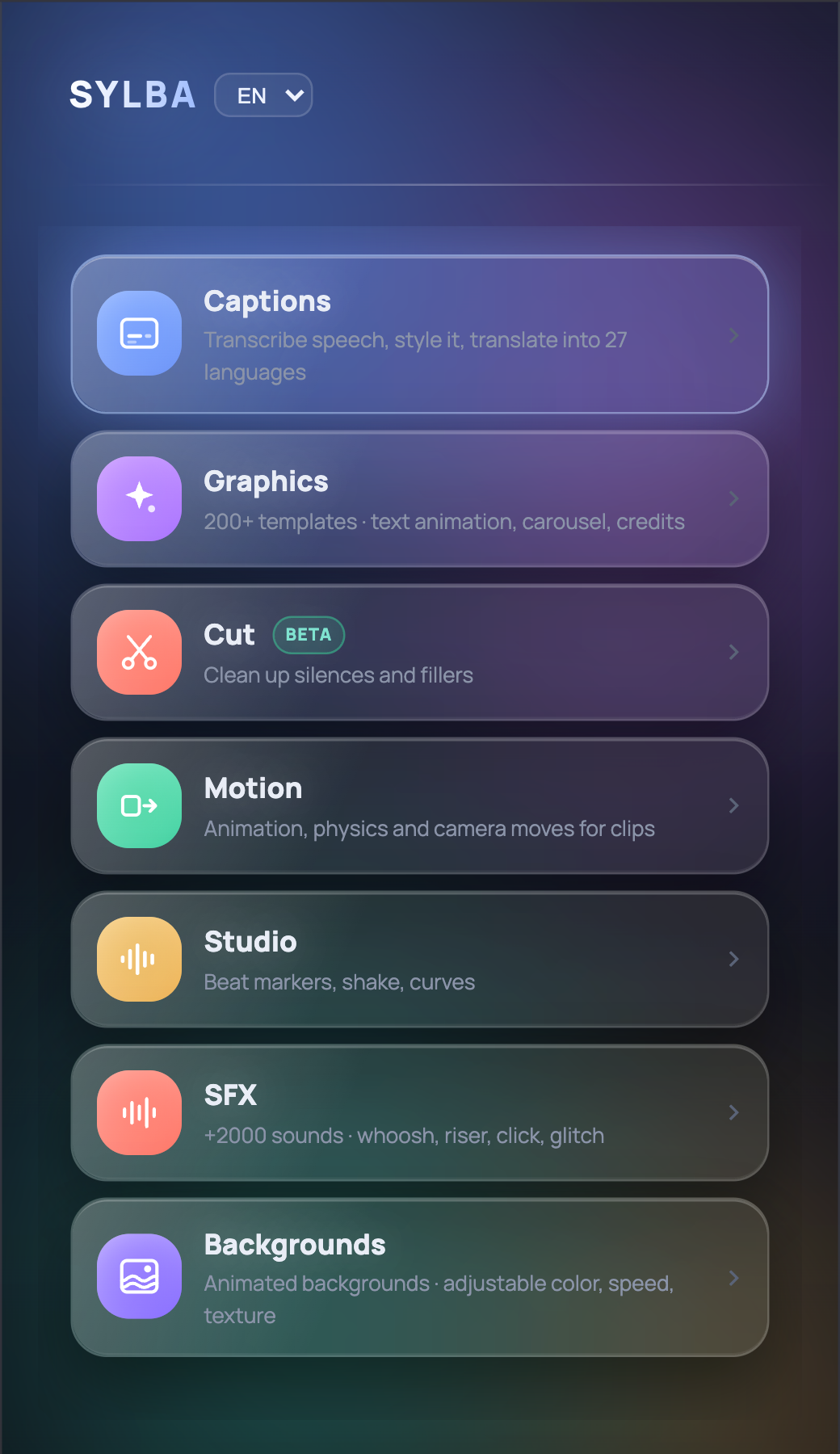
61 styles, animation, Dynamic Text, translation into 27 languages.
200+ templates (47 free): lower thirds, credits, text animation, carousel.
2000+ sounds; preview, then drop onto the timeline in one click.
Finds the silences, lets you pick from the transcript; never cuts without your OK.
140 transition effects, emphasis, physics; draw your own path with a brush.
Finds the beats and locks motion to the rhythm.
60 animated backgrounds; color and speed set in Premiere.
Install once, update once; the sections share each other's data.
Captions and Graphics are free and work offline. Cut, Motion, Studio, SFX and Backgrounds unlock with the Pro plan and need an internet connection.
YouTube videos, short-form, client work or lessons — for anyone who edits in Premiere Pro.
Clean up the gaps in long videos, then get your captions and sounds ready.
Animated captions for Reels and TikTok, and motion that lands on the beat.
Knock out the lower thirds, transitions and captions that come back in every client job.
Add captions to lesson videos and trim the long pauses from your narration.
Captions and Graphics are free — and they'll stay that way. Pro is a one-time payment and never expires — no subscription, no auto-renewal.
Our promise: nothing that's free today will ever become paid.
Yes. Sylba's Captions and Graphics sections are completely free: no time limit, no usage limit and no watermark. Free automatic captions, 61 ready-made animated caption styles, Dynamic Text and 47 free graphic templates work in Premiere Pro without limits. Cut, Motion, Studio, SFX and Backgrounds unlock with the optional Pro plan.
After installing Sylba, open Window › Extensions › Sylba in Premiere Pro, pick your clip in the Captions section and generate captions. Sylba transcribes speech word by word, perfectly timed; choose a style and send it to the timeline in one click, as animated captions or as SRT.
Yes. Sylba transcribes Turkish, English and other languages right on your computer, and can translate the finished captions into 27 languages in one click.
Yes. Word-by-word animated captions, 61 ready-made styles, highlight colors and Dynamic Text for Reels/TikTok are all in the free plan. Captions stay clear of the areas covered by the Instagram Reels and TikTok interface.
Captions are transcribed on your own computer; your video is never uploaded to a server. After the required components are downloaded once during setup, the free sections work offline. Pro sections need an internet connection.
Premiere Pro 2022 and later, on macOS (Intel and Apple Silicon) and Windows 10/11.
No. The Pro plan is a one-time payment with lifetime access: ₺2,000 for 1 computer, ₺5,000 for 3 computers. No subscription, no auto-renewal. The free sections stay free even without Pro.
Download Sylba for free from this page, drag the .zxp file onto ZXP/UXP Installer and restart Premiere Pro. The panel appears under Window › Extensions.
Free. Captions and Graphics open right after sign-in; Pro sections unlock with a plan. You need ZXP/UXP Installer: drag the file onto it, reopen Premiere, Window › Extensions › Sylba.
Premiere Pro 2022 or later · macOS (Intel and Apple Silicon) · Windows 10/11
Comment SYLBA on our launch video and get a 30% off Pro plan code in your DMs.